Case Studies
Case Studies
Case Studies
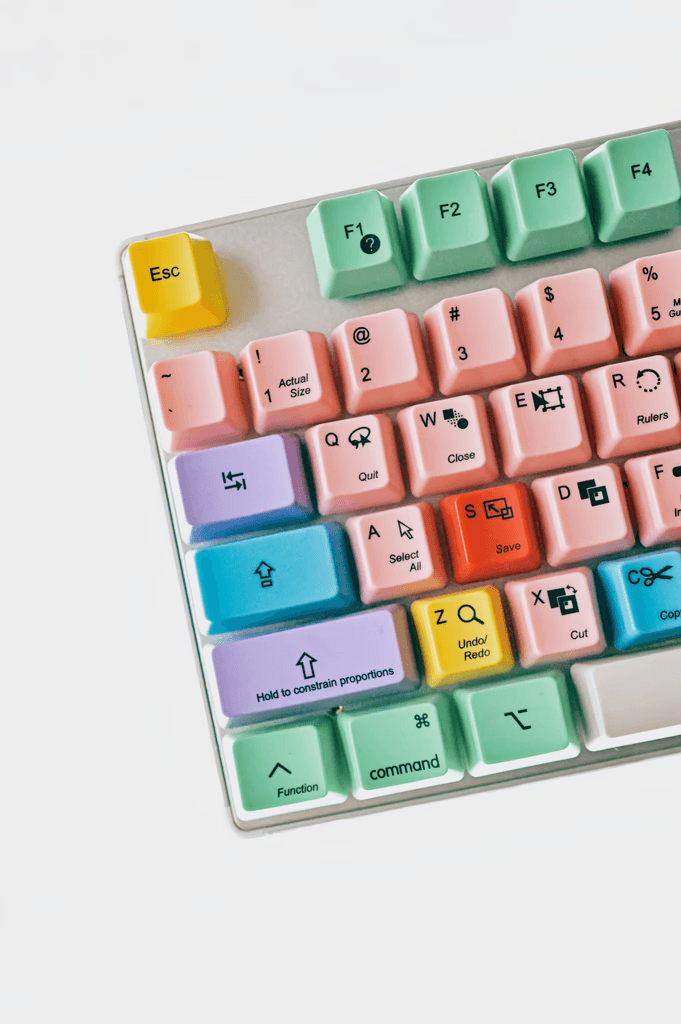
Keyboard Shortcut System
Keyboard Shortcut System
Designing for speed, trust, and future scalability.
Designing for speed, trust, and future scalability.
When I was asked to update a small set of keyboard shortcuts during a platform redesign, I could have just made the updates and moved on.
Instead, I asked a different question: what would a shortcut system look like — one that could scale with the platform without creating confusion later?
That question changed the scope of the work in the best possible way.
The Problem
Keyboard shortcuts in clinical software aren't just a convenience feature. For pathologists working through dozens of cases a day, they're a efficiency and trust mechanism. Inconsistent shortcuts erode confidence quietly — users stop relying on them, or worse, misfire in high-stakes moments.
Two risks were clear if we just patched the immediate request:
Fragmentation — without a structured approach, shortcuts added feature by feature would become inconsistent over time, building a mental model that was impossible to predict.
Scalability — new features would require rework and user relearning if patterns weren't established now.
The Approach
I proposed a lightweight framework built around four principles:
Logical grouping — modifier patterns (Ctrl + key) organized by action type, so users could build reliable mental models rather than memorizing an arbitrary list.
Ergonomic design — shortcuts designed for left-hand reach, recognizing that most clinical users had a mouse in their right hand. The keyboard was secondary input, so it needed to work that way.
Mnemonic mapping — keys tied to intuitive letters where possible, reducing cognitive load during adoption.
Discoverability — tooltips and menu surfacing recommended so users could learn the system organically over time, rather than needing to hunt for documentation.
The Outcome
Several shortcuts were implemented immediately. Others are queued for future releases — but because the framework exists, those additions will fit cleanly into patterns users have already learned.
The system is invisible when it works. That was the goal.
What This Reinforced
A small request is often an opportunity to build something durable. Taking the time to think one level above the immediate task — from "update these shortcuts" to "design a shortcut system" — meant the work compounded instead of just shipping and moving on.
Strong interaction foundations are only noticed when they're missing.
When I was asked to update a small set of keyboard shortcuts during a platform redesign, I could have just made the updates and moved on.
Instead, I asked a different question: what would a shortcut system look like — one that could scale with the platform without creating confusion later?
That question changed the scope of the work in the best possible way.
The Problem
Keyboard shortcuts in clinical software aren't just a convenience feature. For pathologists working through dozens of cases a day, they're a efficiency and trust mechanism. Inconsistent shortcuts erode confidence quietly — users stop relying on them, or worse, misfire in high-stakes moments.
Two risks were clear if we just patched the immediate request:
Fragmentation — without a structured approach, shortcuts added feature by feature would become inconsistent over time, building a mental model that was impossible to predict.
Scalability — new features would require rework and user relearning if patterns weren't established now.
The Approach
I proposed a lightweight framework built around four principles:
Logical grouping — modifier patterns (Ctrl + key) organized by action type, so users could build reliable mental models rather than memorizing an arbitrary list.
Ergonomic design — shortcuts designed for left-hand reach, recognizing that most clinical users had a mouse in their right hand. The keyboard was secondary input, so it needed to work that way.
Mnemonic mapping — keys tied to intuitive letters where possible, reducing cognitive load during adoption.
Discoverability — tooltips and menu surfacing recommended so users could learn the system organically over time, rather than needing to hunt for documentation.
The Outcome
Several shortcuts were implemented immediately. Others are queued for future releases — but because the framework exists, those additions will fit cleanly into patterns users have already learned.
The system is invisible when it works. That was the goal.
What This Reinforced
A small request is often an opportunity to build something durable. Taking the time to think one level above the immediate task — from "update these shortcuts" to "design a shortcut system" — meant the work compounded instead of just shipping and moving on.
Strong interaction foundations are only noticed when they're missing.

Reframing the Quick Fix
Reframing the Quick Fix
How I prevented a risky fix by reframing the problem and offering simpler alternatives.
How I prevented a risky fix by reframing the problem and offering simpler alternatives.
During a redesign of a complex clinical software platform, I discovered that a legacy configuration feature had been silently rebuilt with reduced functionality — and no one had caught it.
The original feature let users save panel visibility preferences globally, across all cases. After a scope reduction during redesign, only case-level settings remained. But the UI was never updated to reflect that change. The control stayed where it had always been — disconnected from the panels it was supposed to control, with no indication of what level it was actually affecting.
A quick fix was proposed. I pushed back — not by rejecting it, but by making the full problem visible.
The Challenge
A key configuration feature had changed behavior mid-redesign — but the interface hadn't caught up. This introduced three specific risks:
A spatial mismatch between the control and the function it affected
No UI feedback about whether a setting applied at the case level or globally
A genuine risk of user confusion and unintended configuration in a clinical context
The behavior had changed. The interface hadn't.
The Approach
Rather than arguing against the quick fix in isolation, I mapped four possible paths forward — each with explicit tradeoffs between clarity, risk, and effort.
Option 1 — The quick fix as proposed I documented exactly where it introduced risk: it would silently overwrite local settings, confuse users about scope, and add backend complexity while appearing simple.
Option 2 — The ideal solution Not a scope recommendation — a signal. This is what responsible global configuration would actually require: scoped controls, UI feedback, tooltips, default states. It framed the delta between "possible" and "responsible."
Option 3 — A lean MVP Most of the clarity from Option 2, fewer heavy UI patterns. A path to reintroducing global presets responsibly if scope allowed.
Option 4 — A minimal UX patch No backend changes. Just better placement and labeling of the existing control to eliminate the spatial mismatch and reduce ambiguity.
Each option was designed to reveal, not just resolve.
The Outcome
We chose Option 4. The control was relocated, the ambiguity was eliminated, and the fix shipped without backend changes or added scope.
There was initial tension when I raised the issue — but arriving with alternatives rather than just objections helped the team move quickly to a better answer. The final solution was met with relief.
The quick fix looked simple, but wasn't. The real fix was simpler — and safer — because it came from understanding, not instinct.
Lessons Learned
Make the problem visible before proposing the solution. The team didn't need to be convinced I was right — they needed to see the full shape of the problem. The four-option framework did that better than any argument could.
Alternatives create alignment. Showing up with options rather than objections reframed the conversation from "Samuel vs. the quick fix" to "us vs. the problem."
UX design isn't only about solving problems. It's about helping teams see them clearly enough to solve them well. Slowing down just enough to reframe the issue meant we avoided rework, aligned faster, and shipped something everyone felt good about.
During a redesign of a complex clinical software platform, I discovered that a legacy configuration feature had been silently rebuilt with reduced functionality — and no one had caught it.
The original feature let users save panel visibility preferences globally, across all cases. After a scope reduction during redesign, only case-level settings remained. But the UI was never updated to reflect that change. The control stayed where it had always been — disconnected from the panels it was supposed to control, with no indication of what level it was actually affecting.
A quick fix was proposed. I pushed back — not by rejecting it, but by making the full problem visible.
The Challenge
A key configuration feature had changed behavior mid-redesign — but the interface hadn't caught up. This introduced three specific risks:
A spatial mismatch between the control and the function it affected
No UI feedback about whether a setting applied at the case level or globally
A genuine risk of user confusion and unintended configuration in a clinical context
The behavior had changed. The interface hadn't.
The Approach
Rather than arguing against the quick fix in isolation, I mapped four possible paths forward — each with explicit tradeoffs between clarity, risk, and effort.
Option 1 — The quick fix as proposed I documented exactly where it introduced risk: it would silently overwrite local settings, confuse users about scope, and add backend complexity while appearing simple.
Option 2 — The ideal solution Not a scope recommendation — a signal. This is what responsible global configuration would actually require: scoped controls, UI feedback, tooltips, default states. It framed the delta between "possible" and "responsible."
Option 3 — A lean MVP Most of the clarity from Option 2, fewer heavy UI patterns. A path to reintroducing global presets responsibly if scope allowed.
Option 4 — A minimal UX patch No backend changes. Just better placement and labeling of the existing control to eliminate the spatial mismatch and reduce ambiguity.
Each option was designed to reveal, not just resolve.
The Outcome
We chose Option 4. The control was relocated, the ambiguity was eliminated, and the fix shipped without backend changes or added scope.
There was initial tension when I raised the issue — but arriving with alternatives rather than just objections helped the team move quickly to a better answer. The final solution was met with relief.
The quick fix looked simple, but wasn't. The real fix was simpler — and safer — because it came from understanding, not instinct.
Lessons Learned
Make the problem visible before proposing the solution. The team didn't need to be convinced I was right — they needed to see the full shape of the problem. The four-option framework did that better than any argument could.
Alternatives create alignment. Showing up with options rather than objections reframed the conversation from "Samuel vs. the quick fix" to "us vs. the problem."
UX design isn't only about solving problems. It's about helping teams see them clearly enough to solve them well. Slowing down just enough to reframe the issue meant we avoided rework, aligned faster, and shipped something everyone felt good about.